
These are the steps to complete your deposit:
- Log in to your account to launch your AMS Dashboard.
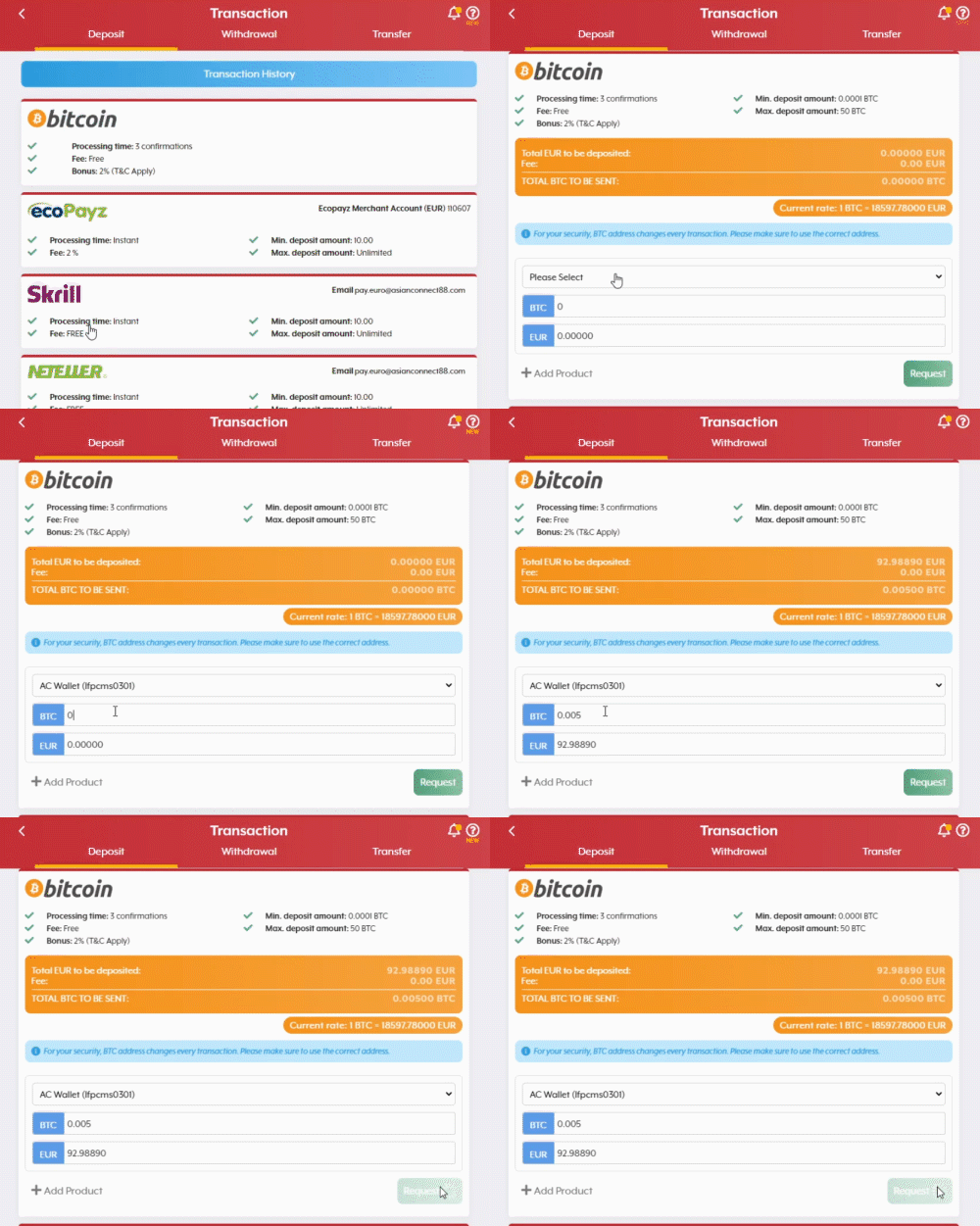
- Click on Deposit, then select Bitcoin.
- Choose which account you would like the deposit to go into.
- Check and confirm the rate, then click the Request button if you agree with the rate.
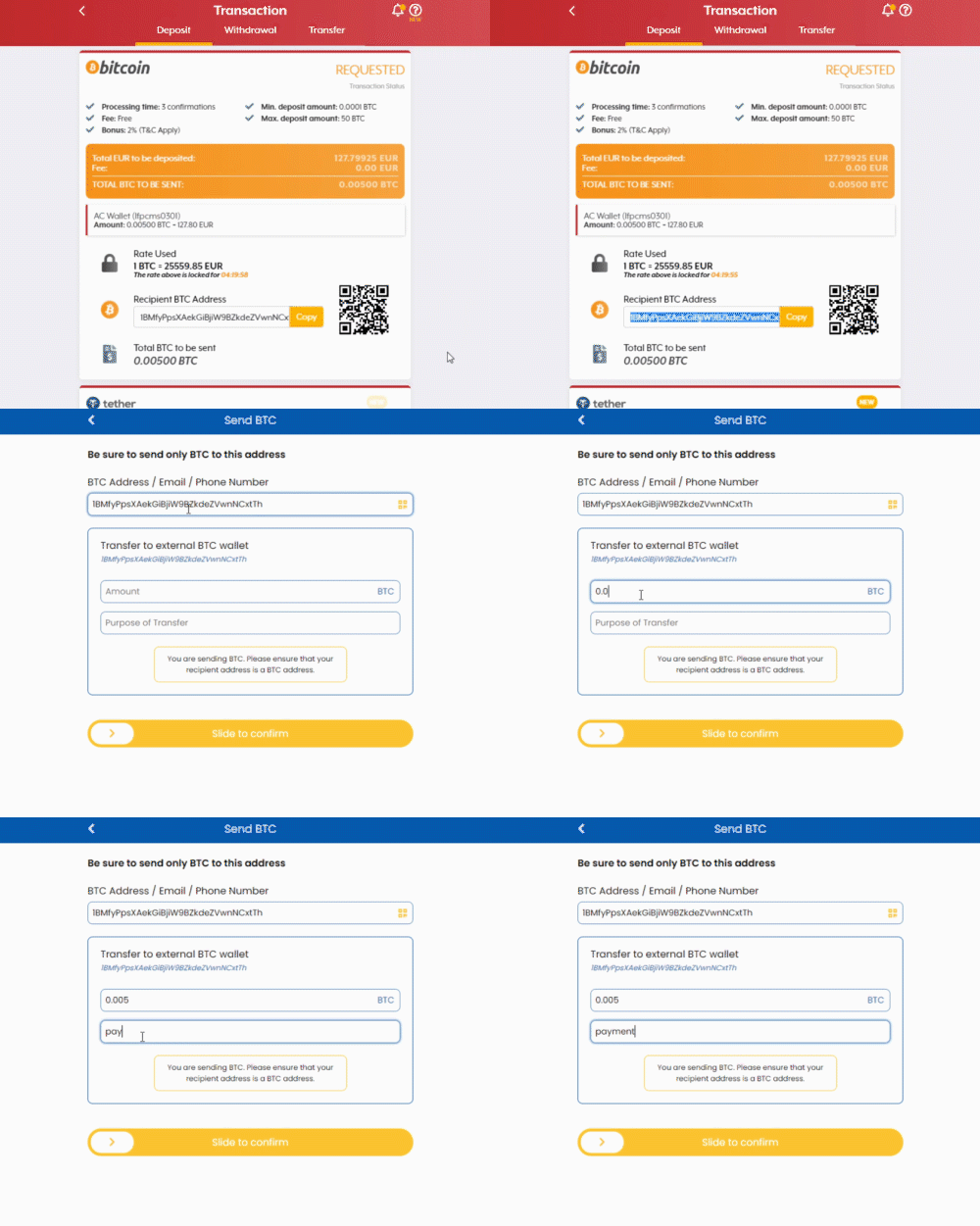
- Log in to your Bitcoin wallet, scan the QR code or copy the Bitcoin address, and make the transfer manually.
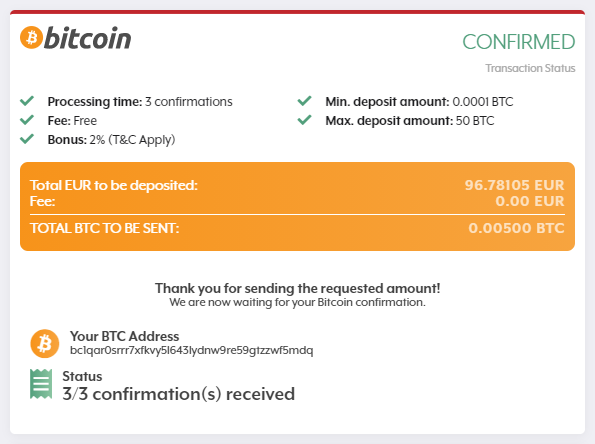
- Three (3) confirmations are required prior to processing your transaction.
Comments
0 comments
Please sign in to leave a comment.