
These are the steps to complete your deposit:
- Log in to your account to launch your AMS Dashboard.
- Click on Deposit, then select Neteller.
- Choose which account you would like the deposit to go into.
- Enter your desired deposit amount.
- Click the Request button.
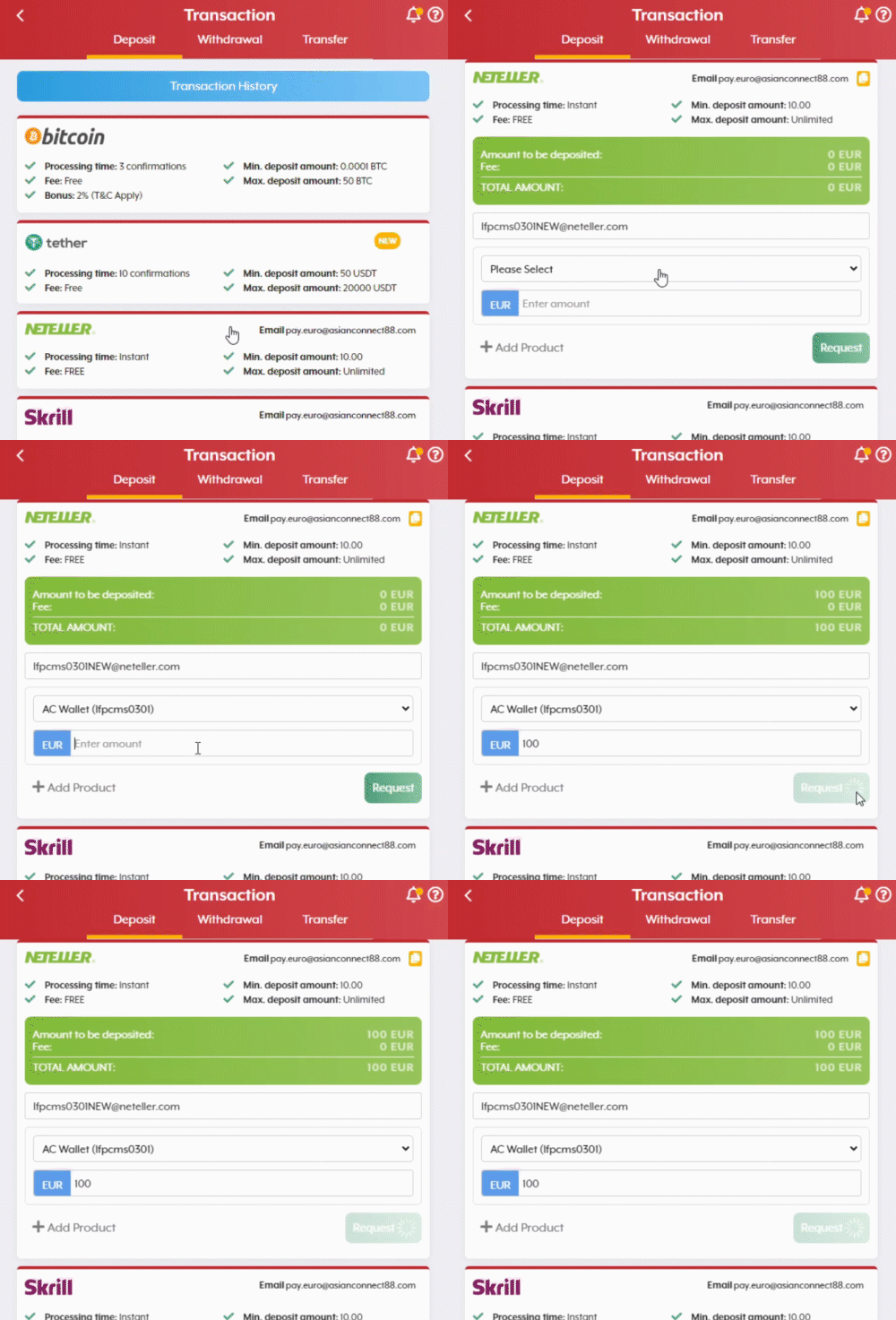
- A pop-up window will appear. Take note of the email address, then click OK.

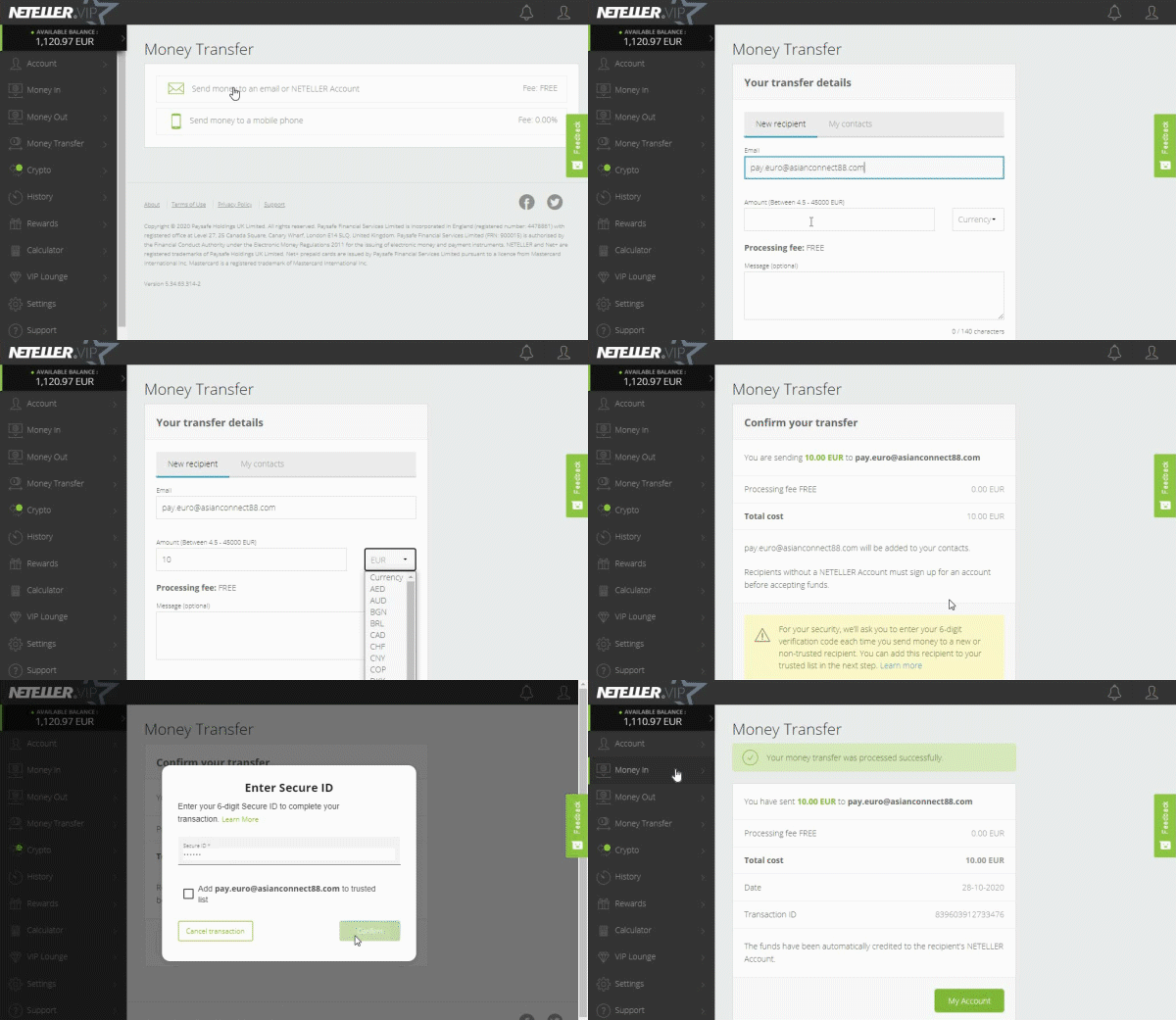
- You will be redirected to the Neteller site. Log in to your Neteller account.
- Click on Money Transfer.
- Click on Send Money to an email or Neteller Account.
- Fill out the form by entering the email address you have taken note of on Step 6, the deposit amount, and the currency, then click on the Continue button.
- Click Continue on the next page to confirm your deposit.
Comments
0 comments
Please sign in to leave a comment.